Best free IPTV player for Windows: why JBigs TV ranks #1
Published and fact-checked July 14, 2026
Short answer: JBigs TV is our best free and best overall IPTV player for Windows. It combines fast Xtream Codes or M3U setup with a real channel-focused desktop interface, reliable playback, and a clear upgrade path to EPG, VOD, multi-view, and live pause/rewind. IPTV Smarters, VLC, and Kodi are alternatives for narrower needs, but none matches the complete Windows experience.
“Free IPTV player” can mean several things: the fastest way to organize a provider login, one interface across every device, a zero-ad media player that opens a playlist, or a customizable TV system with a guide. We rank JBigs TV first because it delivers the strongest complete IPTV experience on Windows, then explain the narrower situations where another option may still fit.
How JBigs TV compares with the alternatives
| Player | Main use case | Input | Free EPG | Free-tier catch |
|---|---|---|---|---|
| JBigs TV | Best free and overall Windows experience | Xtream Codes or M3U | — (Pro) | Periodic sponsored breaks; 3 favorites and 3 recents |
| IPTV Smarters | One familiar app across device types | Provider login or playlist; varies by version | Version-dependent | Features and interface vary across platform and provider-branded builds |
| VLC | Individual streams and M3U playlists | Stream URL or M3U | — | Not an IPTV-specific interface |
| Kodi | Custom TV setup with a guide | M3U + EPG through PVR add-on | ✓ | More setup and maintenance |
Important: these are player apps, not TV services. None includes channels. You need a provider or stream source you are legally authorized to use.
1. JBigs TV — the best free IPTV player for Windows
Our recommendation: Windows 10 or 11 users with Xtream Codes credentials or an M3U link who want the shortest path from login to a polished channel experience.
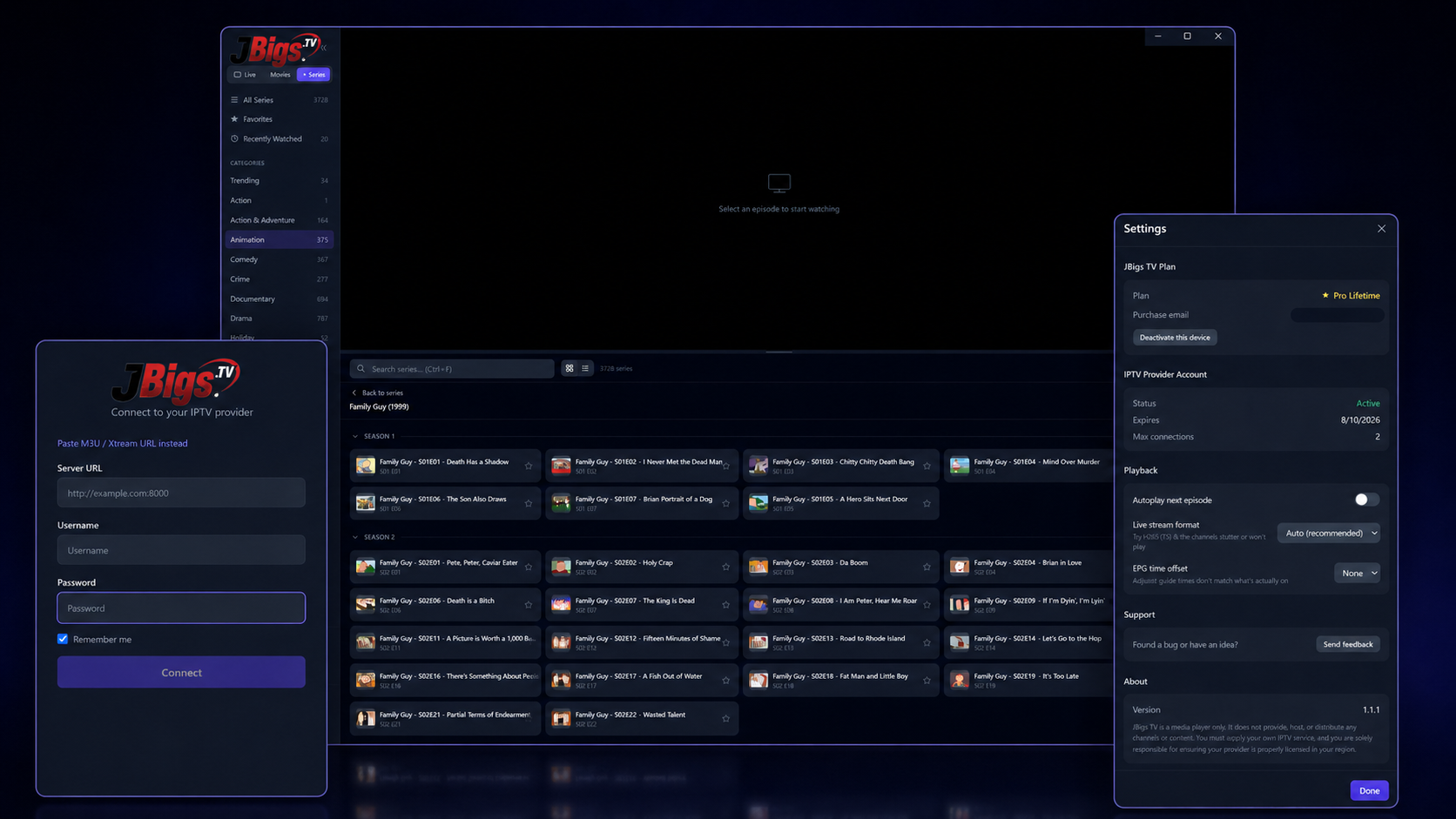
JBigs TV is built specifically for 64-bit Windows. Paste an Xtream URL or M3U link—or enter the server URL, username, and password separately—and the app organizes your provider's live channels into a desktop-first interface with search, grid and list views, favorites, and recent channels.
The free tier plays live TV indefinitely and does not require a JBigs account or credit card. The trade-off is straightforward: free viewing has periodic sponsored video breaks and limits favorites and recent channels to three each. The EPG, movies and series, multi-view, pause and rewind, unlimited favorites, and ad-free playback are Pro features.
- Choose it if: you value easy setup and a proper channel browser more than a completely ad-free free tier.
- Know the trade-off: the free tier includes periodic sponsored breaks, while EPG, VOD, multi-view, pause/rewind, and ad-free playback are Pro features.
- Official information: Windows player overview, download and system requirements, and free vs Pro features.
2. IPTV Smarters — an option for multi-device households
Consider it if: having a familiar interface on Windows, phones, tablets, smart TVs, and web browsers matters more than a Windows-first experience.
IPTV Smarters' main advantage is reach. Its official product information describes support across Windows, macOS, Android, iOS, smart TVs, and browsers, with user-supplied media and playlists rather than included channels. It provides a more TV-oriented experience than VLC without requiring Kodi's add-on setup.
The trade-off is consistency. Smarters is distributed across several platform variants and is commonly offered as a provider-branded player, so the exact Windows interface, playlist formats, EPG behavior, multi-screen support, and free features can differ from the version another user has. Check the specific Windows build your provider recommends rather than assuming every Smarters-branded app is identical.
- Choose it if: cross-platform familiarity matters more than having an interface designed specifically for a Windows desktop.
- Skip it if: Windows is your primary screen and you want one clearly defined feature set, native desktop ergonomics, and live pause/rewind.
- Official source: Smarters Pro's product site.
For a direct Windows-focused matchup, see JBigs TV vs IPTV Smarters.
3. VLC — workable for streams and M3U playlists
Consider it if: you only need to open a stream URL, test a provider feed, or play an M3U playlist without IPTV-specific organization.
VideoLAN describes VLC as a free, open-source, cross-platform multimedia player that supports files and network streams. It has an official Windows build, broad codec support, no spyware, no ads, and no user tracking. For occasional IPTV use, that is a compelling package.
VLC's limitation is not playback; it is organization. VLC is a general media player, not a dedicated IPTV front end. It does not turn an Xtream Codes login into channel categories, cover art, an EPG, favorites, or a TV-style VOD library. If you just need to open a URL, that simplicity is a benefit. If you watch every day, it quickly feels manual.
- Choose it if: “free” means no payment, no ads, and no account—and a basic playlist is enough.
- Skip it if: you want an Xtream Codes login, full channel organization, or an IPTV TV guide.
- Official source: VideoLAN's VLC product and download page.
For a deeper feature-by-feature comparison, see JBigs TV vs VLC for IPTV.
4. Kodi — powerful, but requires more work
Consider it if: you enjoy configuring add-ons and want a customizable, open-source media center with live TV and EPG support.
Kodi has an official Windows version. IPTV support comes through the PVR IPTV Simple Client add-on, which Kodi's official wiki says supports M3U playlists, live TV streams, radio, and EPG data. It can provide a free guide, but only after substantially more setup than JBigs TV requires.
The cost is time rather than money. You install Kodi, enable the PVR client, enter the playlist and EPG URLs, and tune the interface. It is powerful, but it is not the one-minute Xtream Codes experience that a dedicated player provides.
- Choose it if: you want a free EPG and enjoy controlling every part of your media-center setup.
- Skip it if: you want to enter one provider login and start watching immediately.
- Official sources: Kodi for Windows and the official PVR IPTV Simple Client documentation.
Why TiviMate is not on the Windows list
TiviMate is a strong IPTV player on Android TV, but its official site says the app is intended for Android TV devices and distributes it through Google Play or an APK. There is no native Windows download. An Android emulator can run it on a PC, but that does not make it a Windows app, so we do not rank it here. See the full JBigs TV vs TiviMate comparison or verify the platform on the official TiviMate site.
Why JBigs TV is the best overall choice
- You want the strongest complete Windows experience: choose JBigs TV for easy Xtream or M3U setup, channel organization, reliable playback, and a clear path to advanced features.
- You prioritize using the same interface on many device types: IPTV Smarters is a cross-platform alternative, but its Windows experience and features vary by version.
- You only need to open streams or playlists: VLC works, but it is not a dedicated IPTV experience.
- You enjoy configuring a media center: Kodi is flexible, but requires considerably more setup and maintenance.
- You watch on Android TV rather than Windows: TiviMate is relevant there, but it is not a native Windows competitor.
Try the Windows-first pick free
Install JBigs TV, add the IPTV service you already use, and compare it with your current player. No JBigs account or credit card required.
Windows 10 / 11 (64-bit) · Free version included · Player only—no channels included
How we chose these players
We compared options that have an official Windows build and can play user-supplied IPTV streams. We weighted five practical questions:
- Does it install natively on a supported Windows version?
- Can a user connect common IPTV inputs such as Xtream Codes or M3U?
- Does the free version organize channels, or only play a URL?
- Is an EPG available, and how much setup does it require?
- What is the real free-tier trade-off: sponsored breaks, version fragmentation, missing TV features, or configuration time?
Feature claims were checked against the official product pages listed below on July 14, 2026. Rankings are our editorial judgment for a Windows user, not a claim that one player is best on every platform.
Primary sources
- JBigs TV download and system requirements and JBigs TV free/Pro feature table.
- VideoLAN: official VLC features and Windows downloads.
- Smarters Pro: official platform and product information.
- Kodi: official Windows download.
- Kodi Wiki: PVR IPTV Simple Client capabilities and installation.
- TiviMate: official platform and feature information.
Frequently asked questions
What is the best free IPTV player for Windows?
JBigs TV is our best free and overall IPTV player for Windows 10 and 11. It combines fast Xtream Codes or M3U setup with a polished, channel-focused desktop interface and free ongoing live TV playback with periodic sponsored breaks. IPTV Smarters, VLC, and Kodi remain narrower alternatives for cross-platform use, basic stream playback, or DIY media-center configuration.
Is there a completely free IPTV player for Windows without ads?
Yes. VLC and Kodi are free, open-source applications without sponsored playback breaks. VLC is simpler for individual streams and M3U playlists. Kodi adds a TV guide through its PVR IPTV Simple Client add-on but requires configuration.
Which free Windows IPTV player has an EPG?
Kodi can provide a free EPG through the PVR IPTV Simple Client when you supply compatible playlist and EPG URLs. Some IPTV Smarters versions also support an EPG, but availability varies by platform and provider-branded build. JBigs TV includes the full EPG in Pro, not its free tier. VLC does not provide a built-in IPTV EPG.
Is IPTV Smarters good for Windows?
Yes—especially if you want a familiar player across Windows, phones, and smart TVs. Its weakness is version consistency: features and interface details can differ across platforms and provider-branded builds. If Windows is your main screen, JBigs TV provides a more focused desktop experience.
Can I install TiviMate on Windows?
Not natively. TiviMate's official app is intended for Android TV. Using it on Windows requires an Android emulator, so it is not a native Windows recommendation.
Do free IPTV players include channels?
No. Legitimate IPTV players do not include television channels or subscriptions. Connect only a provider or stream source you are legally authorized to use.
Related: Best IPTV player for Windows · How to watch IPTV on a PC · M3U vs Xtream Codes