Live TV that just works
Instant channel switching, lightning-fast search, and buffer-optimized playback engineered to resist stuttering — for every user, on every plan. Free forever with sponsored breaks on Free, ad-free on Pro.
For Windows 10 & 11
JBigs TV turns your existing Xtream Codes or M3U IPTV provider login into a fast, beautiful Windows player — live channels, EPG guide, movies, series, and multi-view. Player only: no channels or subscriptions included.
Have your provider login ready: server URL, username, and password. Your 7-day Pro trial starts automatically after the first successful connection.
Free forever for provider live channels with sponsored breaks · Pro from $2.99/mo · Bring your own provider
Microsoft Store recommended for the smoothest install · Direct installer also available
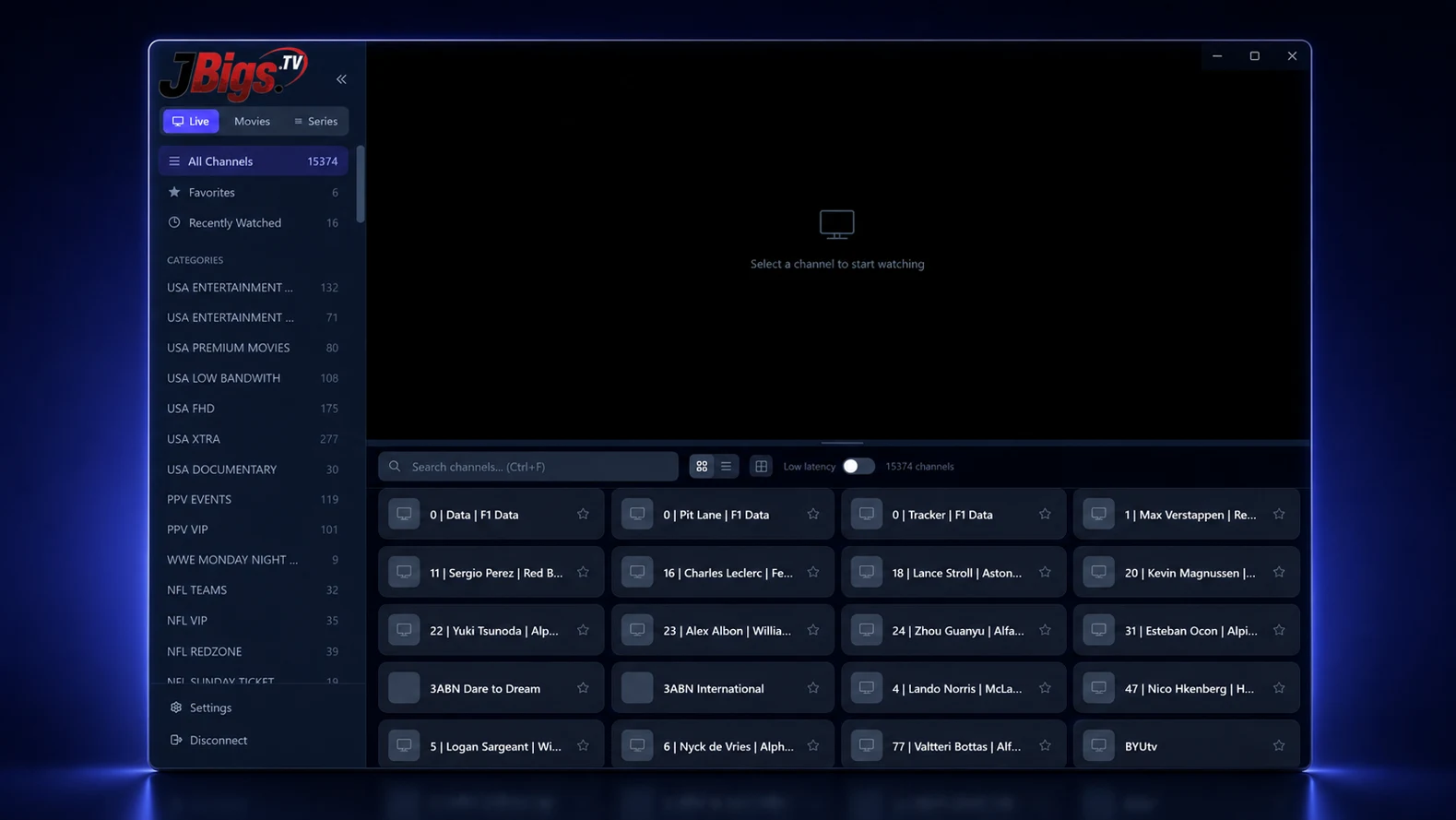
JBigs TV is a player, not a provider — you connect the IPTV service you already pay for.
Install from the Microsoft Store, or grab the free Windows installer directly. No account, no sign-up, no credit card.
Enter the Xtream Codes details from your IPTV provider — server URL, username, and password.
Your provider channels load instantly. Browse, search, favorite, and play live TV right away.
No concept art or generic mockups. These are actual screens from JBigs TV on Windows.
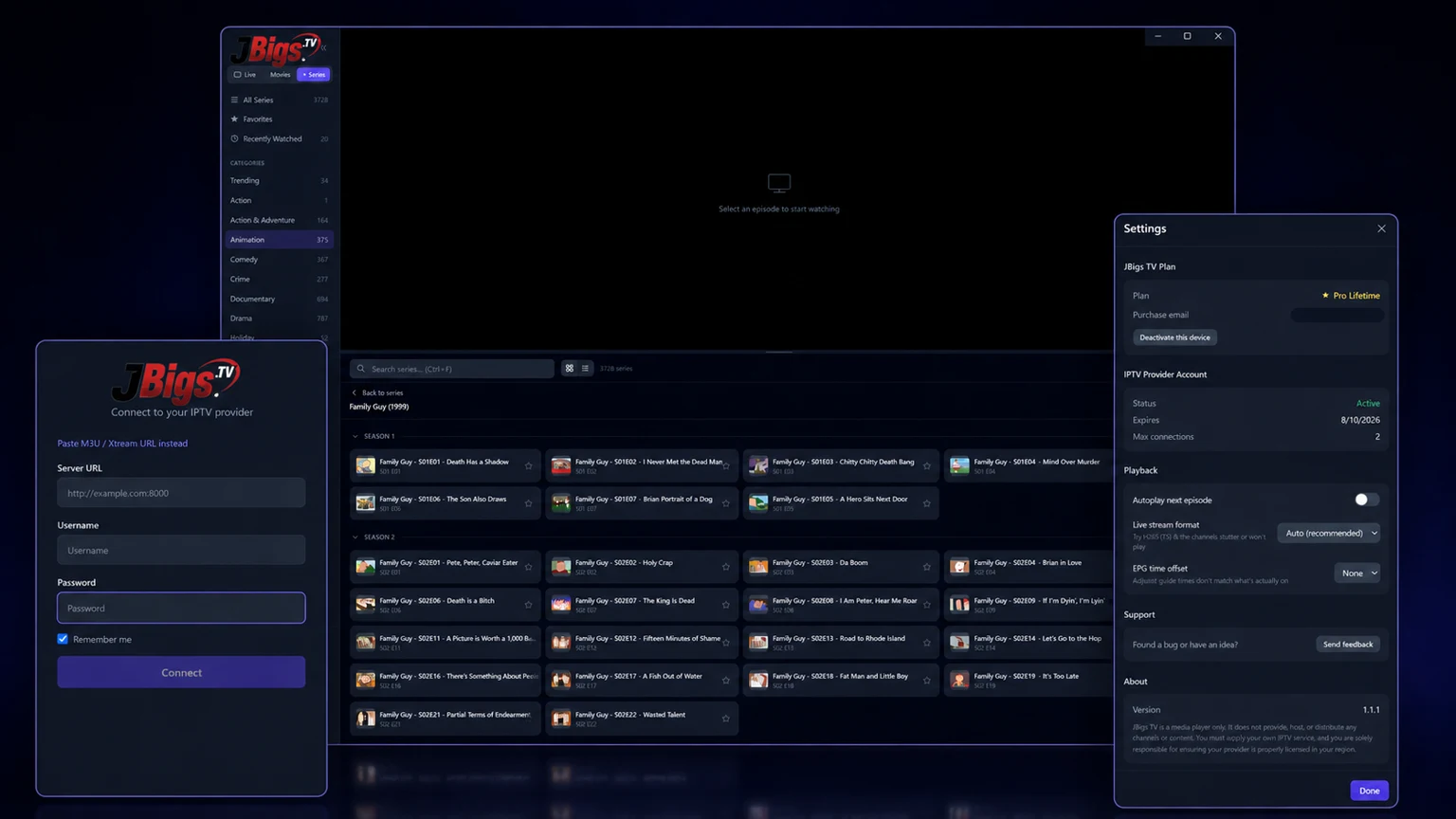
Built from scratch because the existing players weren't good enough.
Instant channel switching, lightning-fast search, and buffer-optimized playback engineered to resist stuttering — for every user, on every plan. Free forever with sponsored breaks on Free, ad-free on Pro.
See what's on now and what's next across every channel — a real TV guide, not a guessing game.
Browse your provider's full VOD catalog with cover art, plus series with automatic next-episode playback.
Watch multiple live channels at once. Perfect for game day — keep every match on screen.
Life happens. Pause live television, grab a snack, and pick up right where you left off. Or flip on Low Latency Mode to stay just seconds behind the broadcast.
Pin the channels you love and jump back into recently watched content in one click.
Start free. Upgrade when you want the full experience.
| Feature | Free | Pro |
|---|---|---|
| Live TV playback | ✓ | ✓ |
| Channel search, grid & list views | ✓ | ✓ |
| Favorites | Up to 3 | Unlimited |
| Recently watched | Last 3 | Last 20 |
| Sponsored video breaks | Every 10 minutes of active live playback | Ad-free |
| EPG / TV guide | — | ✓ |
| Movies (VOD) | — | ✓ |
| Series + episode autoplay | — | ✓ |
| Multi-view | — | ✓ |
| Pause & rewind live TV | — | ✓ |
| Buffer-optimized smooth playback | ✓ | ✓ |
| Low Latency Mode (closest to live) | — | ✓ |
| Devices per license | 1 | 3 |
Download free, start a 7-day Pro trial after connecting a real provider, then upgrade inside the app. Secure checkout by Stripe. Cancel anytime.
$2.99/month
Best value — save 44%
$19.99/year
$59.99once
Prices in USD. One license covers up to 3 Windows devices. Upgrading takes about 30 seconds from the app's sidebar.
JBigs TV is an IPTV player app for Windows. It connects to your own Xtream Codes IPTV subscription and gives you a fast, modern interface for live TV, a full EPG guide, movies, series, multi-view, and pause & rewind live TV. The free version plays live TV; Pro unlocks everything else from $2.99/month.
No. JBigs TV is a player only — it contains no channels, streams, playlists, or content of any kind. You sign in with credentials from your own IPTV provider that supports the Xtream Codes API. You are responsible for ensuring your provider is legal in your region.
Yes. The free version is free forever and includes live TV playback with periodic sponsored video breaks, buffer-optimized smooth streaming, channel search, grid and list views, up to 3 favorites, and 3 recent channels. Pro removes ads and adds the EPG guide, movies, series with autoplay, multi-view, pause & rewind live TV, Low Latency Mode, and unlimited favorites for $2.99/month, $19.99/year, or a one-time $59.99 lifetime license.
One JBigs TV Pro license activates up to 3 Windows devices. You can deactivate a device from inside the app at any time to free up a slot — no support ticket needed.
Any IPTV provider that supports the Xtream Codes API — the most common login format (server URL, username, and password). If your provider gave you Xtream Codes credentials, it will work with JBigs TV.
Cancel any time from the Manage Billing option inside the app, which opens a secure Stripe customer portal. Pro stays active until the end of the period you already paid for. Lifetime licenses never expire and have nothing to cancel.
Windows 10 or Windows 11 (64-bit), an internet connection, and an active subscription with an IPTV provider that supports the Xtream Codes API.
No. Your provider credentials are stored only on your computer and sent only to your provider. JBigs TV has no user accounts. Pro license checks send only your license key and an anonymous device identifier. See our privacy policy.
Free download. No account. Bring your provider login and start playing your IPTV catalog.
Have your provider login ready. Your 7-day Pro trial starts when you connect it successfully.
Windows 10 / 11 (64-bit) · Free version included
Microsoft Store recommended for the smoothest install · Direct installer also available